BETA · free · 30 conversions per fixed 24-hour window
Reboardly · Photo to Board

One photo.
Your board of choice.

Reboardly reconstructs physical whiteboards as editable digital boards. Use the same careful spelling review and layout engine in Miro or FigJam.

Native editable objectsFree during betaNo separate Reboardly signup
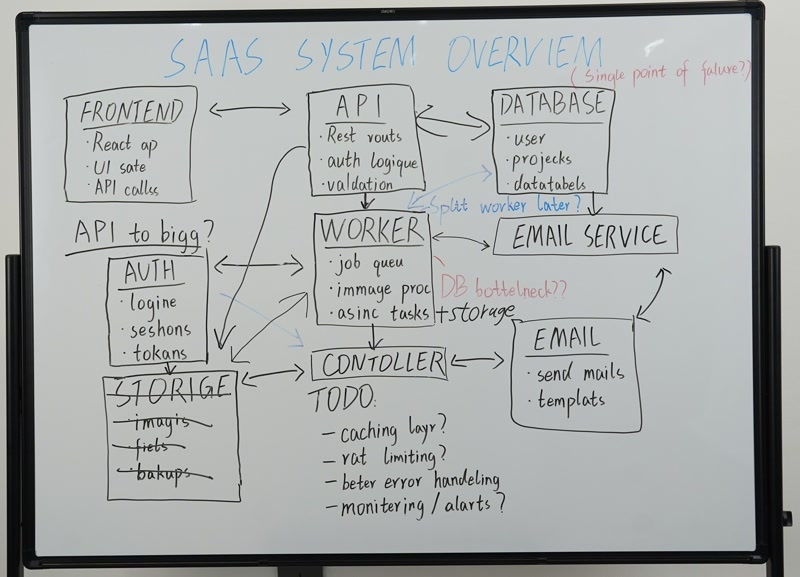
Source · whiteboard.jpg
Photographed workshop whiteboard
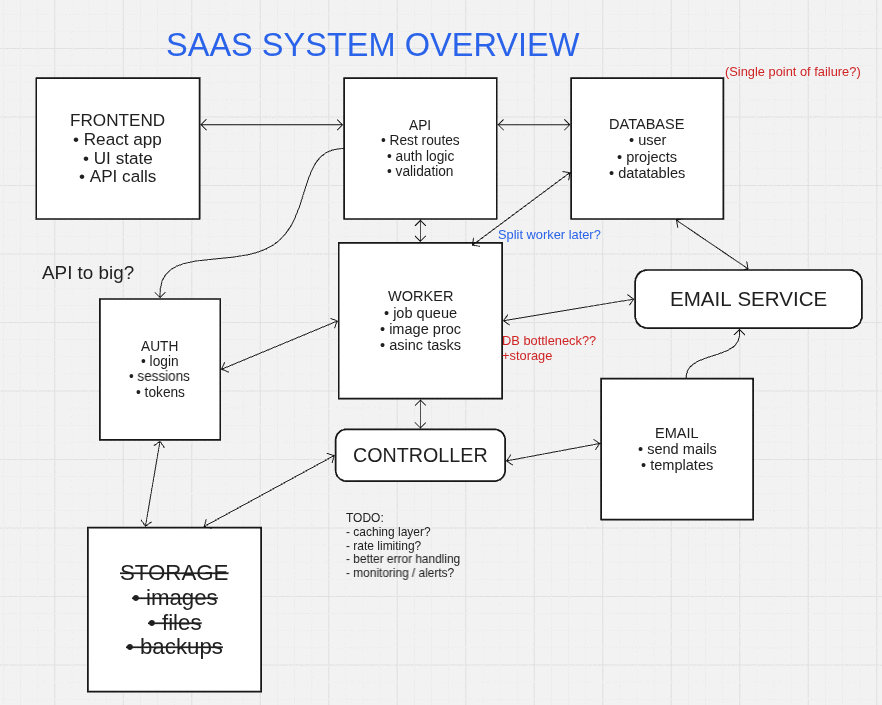
Reconstruction ready for FigJam
Reconstructed board preview for FigJam
photo in · editable board out
Choose where the board should live

The reconstruction is shared.
The destination stays native.

01 · Miro

Rebuild directly inside your Miro board.

Select a canvas image or upload a photo, review the result in the sidebar, then add native Miro objects.

  • Existing canvas image selection
  • Miro shapes, stickies, connectors, frames, and mindmaps
  • Sidebar workflow inside Miro
02 · FigJam

Turn the same photo into a collaborative FigJam board.

Run the focused FigJam plugin, review spelling and layout, then insert editable FigJam-native content.

  • Plugin-first upload flow
  • FigJam shapes, text, stickies, images, and connectors
  • Shared history, quota, and reconstruction quality
One shared workflow

From marker to editable board.

01

Bring the photo

Upload a whiteboard image from your device, or select an existing image where the destination supports it.

02

Reboardly reconstructs

The shared engine detects text, color, shapes, groups, connectors, and spatial structure.

03

Review before insertion

Resolve spelling suggestions and compare distinct layout options before committing anything.

04

Continue in your board

Insert destination-native objects into Miro or FigJam and keep editing with your team.

Shared engine

Review the words.
Keep the structure.

The destination adapter changes. The evidence, spelling decisions, validation, layout variants, quota, and retention behavior do not.

Spelling Suggestions

24 mistakes
01

Editable output

Text, sticky notes, shapes, frames, images, and connectors become board objects you can keep working with.

02

Spelling review

Review likely mistakes before insertion. Accept suggestions, keep the original wording, or decide in bulk.

03

Three layout choices

Keep the photographed geometry, introduce useful breathing room, or also clean up small alignment drift.

04

One reconstruction engine

Miro and FigJam share the same evidence, validation, layout, quota, history, and retention pipeline.

FAQ

Before you choose a board.

Is Reboardly one plugin for both boards?+
Reboardly is one reconstruction service with separate destination integrations. Install the Miro app for Miro or use the FigJam plugin for FigJam; both use the same underlying conversion engine.
Does it replace the source photo?+
No. Reboardly creates a new editable result. It does not intentionally modify or delete the source image or existing board content.
How long are source photos stored?+
Original source images are deleted after 24 hours unless you explicitly share one for diagnostic review. Small history thumbnails and generated results remain until you delete the job or account.
How does beta pricing work?+
The beta is free, with up to 30 conversions per user in a fixed 24-hour quota window. No paid-plan assumptions are built into the current workflow.